> ## Documentation Index
> Fetch the complete documentation index at: https://docs.selectedai.app/llms.txt
> Use this file to discover all available pages before exploring further.
# Custom Commands
> Create custom commands to fulfill you specific needs
Selected allows you to customize commands in two ways:
1. **Customize built-in commands** - Modify the prompts of any of the customizable built-in commands with your own version to fulfill your specific needs. You can reset them to default at any time.
2. **Create custom commands** - Build entirely new commands for your daily tasks that aren't covered by the built-in commands.
## Command Structure
Each command consists of two key components:
* **System prompt** - Defines the overall behavior and role of the command
* **User prompt** - Specifies what to do with the input (selected text, attachments, custom prompt)
You can use variables in your prompts to reference:
* Selected text (`{{selectedText}}`)
* Attachment text (`{{attachmentText}}`)
* Custom input from the user (`{{inputtedText}}`)
All available variables can be found in the Variables section of the Commands tab. You can add your own ones if needed.
## Example: Prompt Optimizer
Here's an example of a custom command that optimizes prompts for AI models:
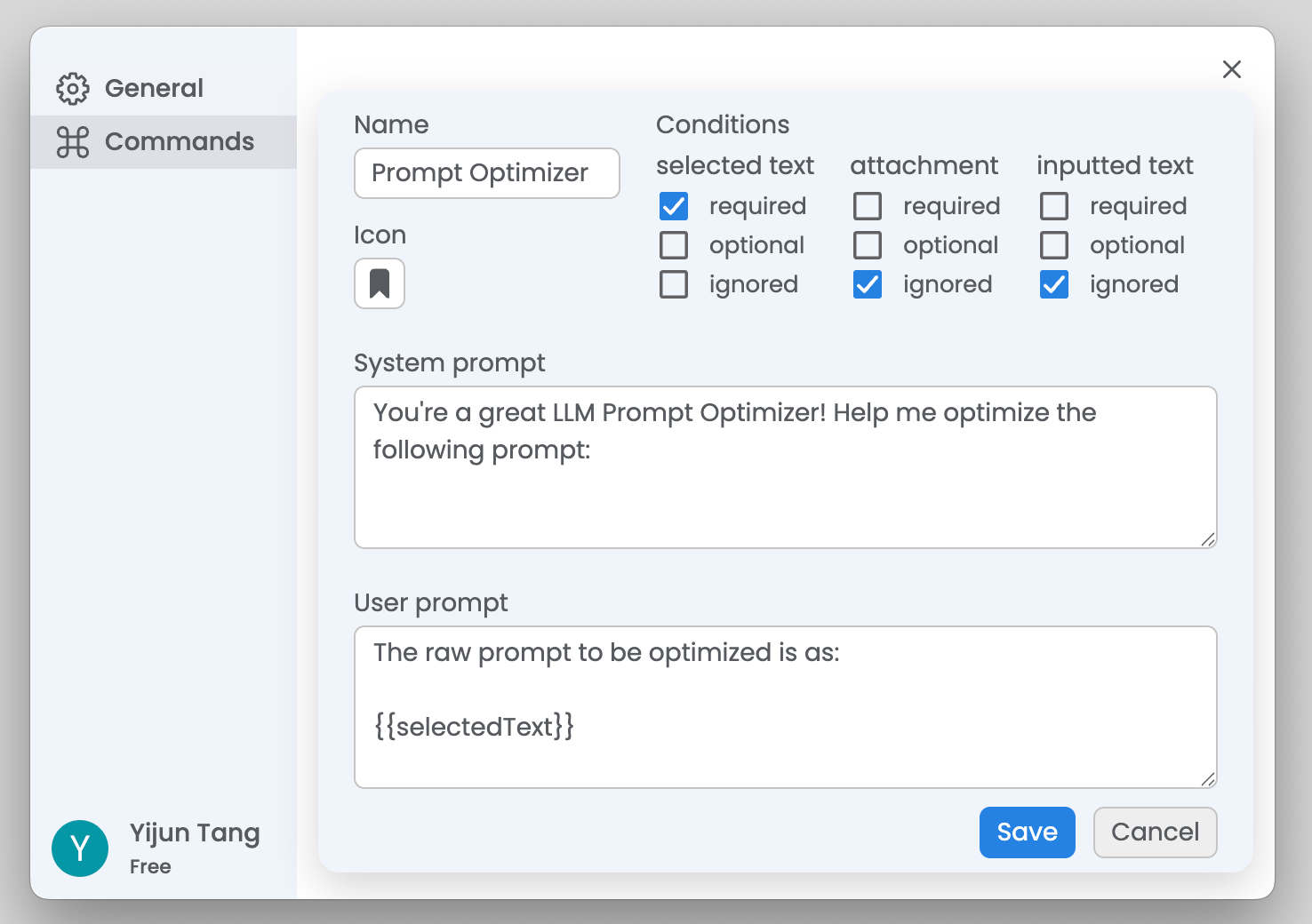 1. **Name:** Prompt Optimizer
2. **Icon:** Choose an icon that represents your command
3. **Conditions:**
* Selected text: required
* Attachment: ignored
* Inputted text (Custom prompt): ignored
4. **System prompt:**
```
You're a great LLM Prompt Optimizer! Help me optimize the
following prompt:
```
5. **User prompt:**
```
The raw prompt to be optimized is as:
{{selectedText}}
```
1. **Name:** Prompt Optimizer
2. **Icon:** Choose an icon that represents your command
3. **Conditions:**
* Selected text: required
* Attachment: ignored
* Inputted text (Custom prompt): ignored
4. **System prompt:**
```
You're a great LLM Prompt Optimizer! Help me optimize the
following prompt:
```
5. **User prompt:**
```
The raw prompt to be optimized is as:
{{selectedText}}
```